Export Document Data
You can export document data, including metadata, item information, and referenced documents within the case, from the Documents Explorer.
Open a case in TrialDirector 360 EVIDENCE and follow the steps below:
-
In the Documents Explorer, click the Export Document Data button.
-
Select the types of data you want to include in the export.
-
Pages
-
Status
-
Description
-
Exhibit No.
-
Trial Exhibit No.
-
Common Name
-
Click the Browse button in the dialog.
-
Navigate to the location where you want the export file to be generated.
-
Click the OK button in the Browse for Folder dialog.
-
Click the Save button in the Export Document Explorer dialog.

The Export Document Explorer dialog appears.
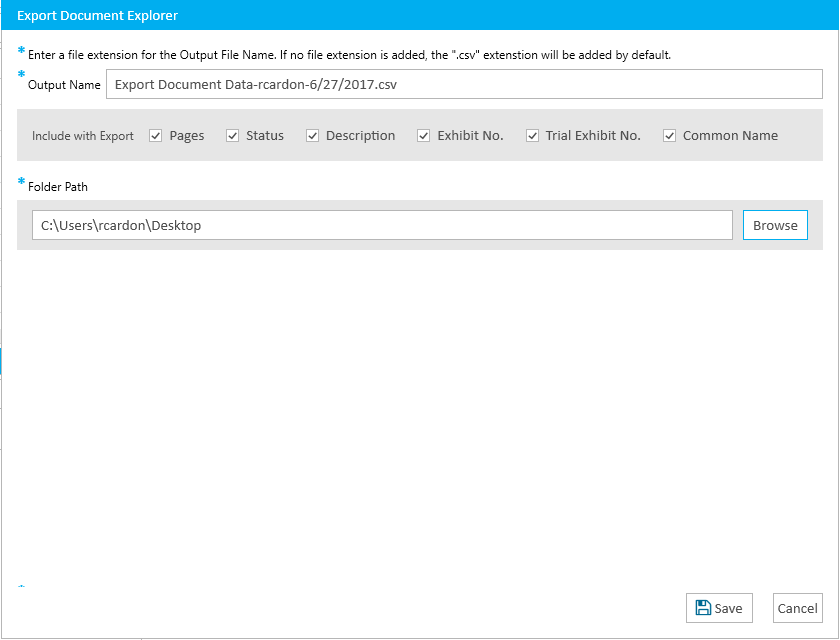
You can choose any of the following information:

|
Note: You can set up your selections in Evidence User Preferences so that you don't have to select the same options every time you want to export the document data. |
The Browse for Folder dialog appears.
The export file is generated at the location you selected.
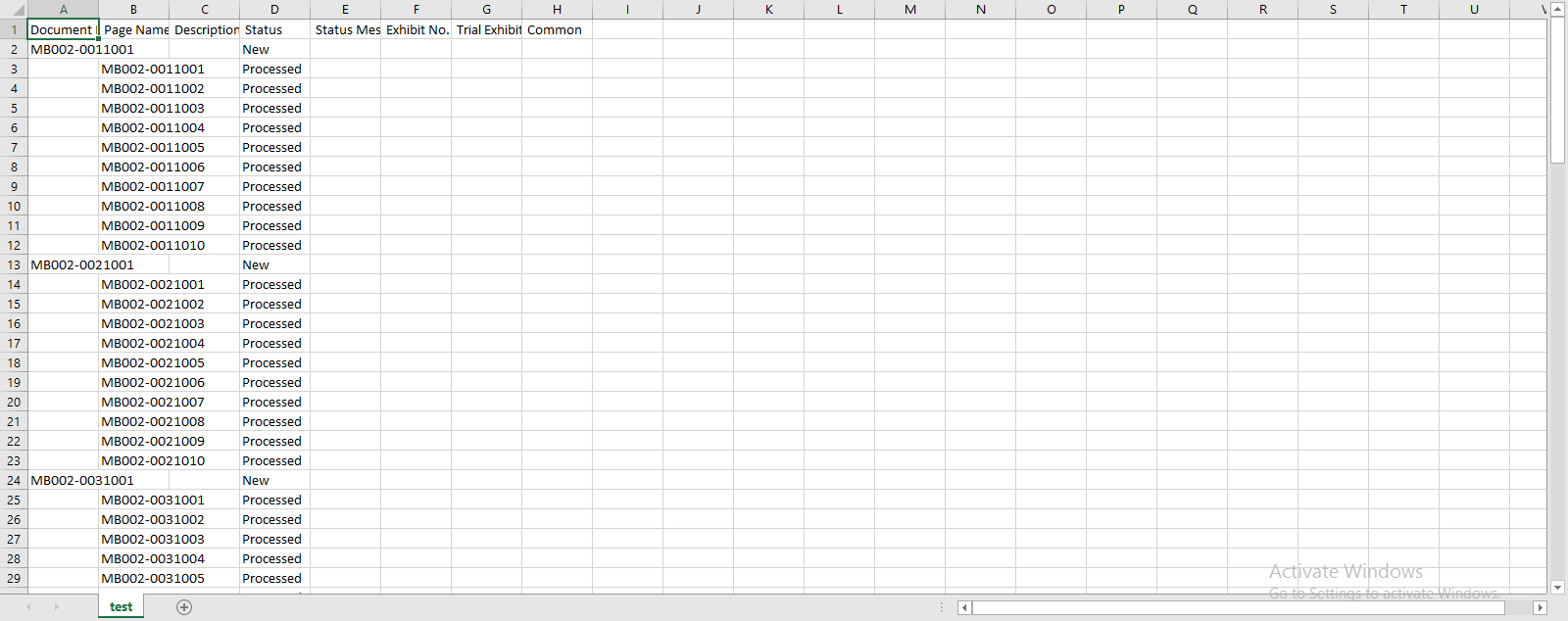
The export file can look like this: