Import Documents
You can import documents from the Documents Explorer.
To import documents, open the Documents Explorer in the case you want to import documents to and follow the instructions below:
-
Click the Import button in the Documents Explorer.
-
Click the Browse button in the dialog.
-
Navigate to the supported batch import file type.
-
.OLL
-
.MDB
-
.LFP
-
.LOG
-
Select and open the file.
-
Click the Save button.

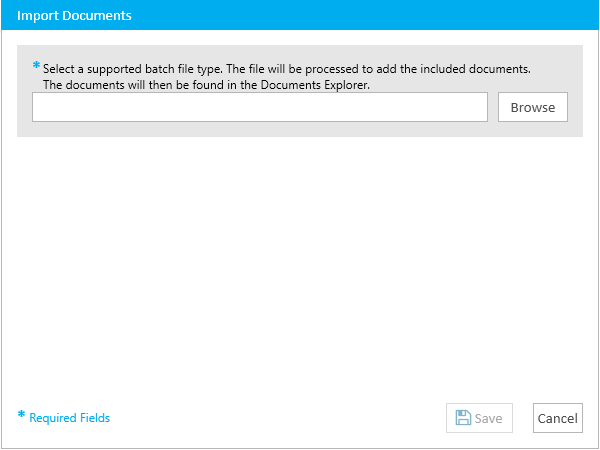
The Import Documents dialog appears.
The file explorer appears.
Supported file types include:
An import file might look like this: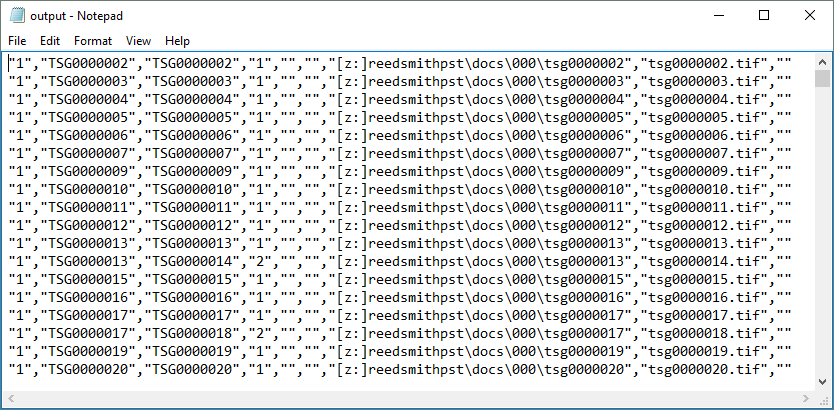
The path to the file now appears in the Import Documents dialog.
The documents are imported into the case and appear in the Documents Explorer.