Apply a Quick Mark to a Transcript
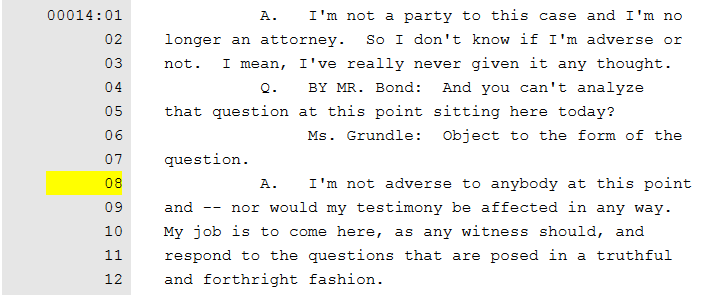
To apply a quick mark, with a transcript open in the Transcript Work Area, use one of the following steps:
Transcript Text
-
Select a point within the transcript in the Transcript Work Area where you want to apply the quick mark.
-
Press the Spacebar.
The quick mark is applied to the transcript.

|
Note: If you select a point that already has a quick mark associated with that page:line the quick mark will be removed. |
Transcript Page Line
-
Click on a line in the left margin.
The quick mark is applied to the transcript.
|
|
Note: If you click on an existing quick mark, the quick mark will be removed. |