Add Items to a Workbook
You create workbooks to help you organize the items in your case. You can then add the following item types to a given Standard or Carousel workbook:
-
Transcripts
-
Multimedia
-
Clips
-
Playlists
-
Documents
To add an item to a workbook, use the following steps:
-
Select an item in an explorer.
-
Click and drag the item to a workbook in the Workbooks Explorer.
-
Drop the item on the workbook.
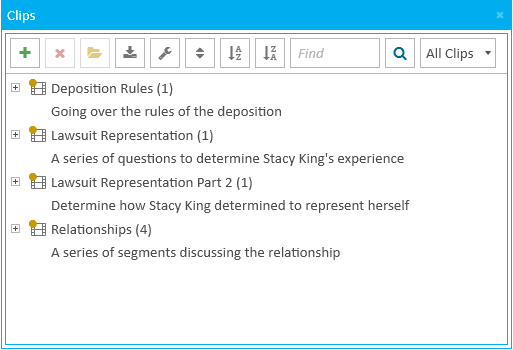
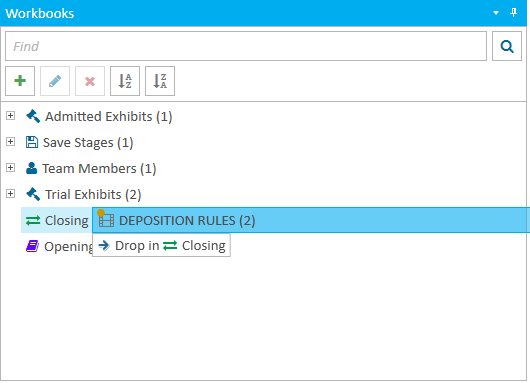
By releasing the left click drag, the item is added and appears in the workbook.

|
Note: The items appear in the order they are placed in the workbook unless the sort option for the workbook is set to "A to Z". |